
Product Details
Built with performance in mind and delivered with premium quality.
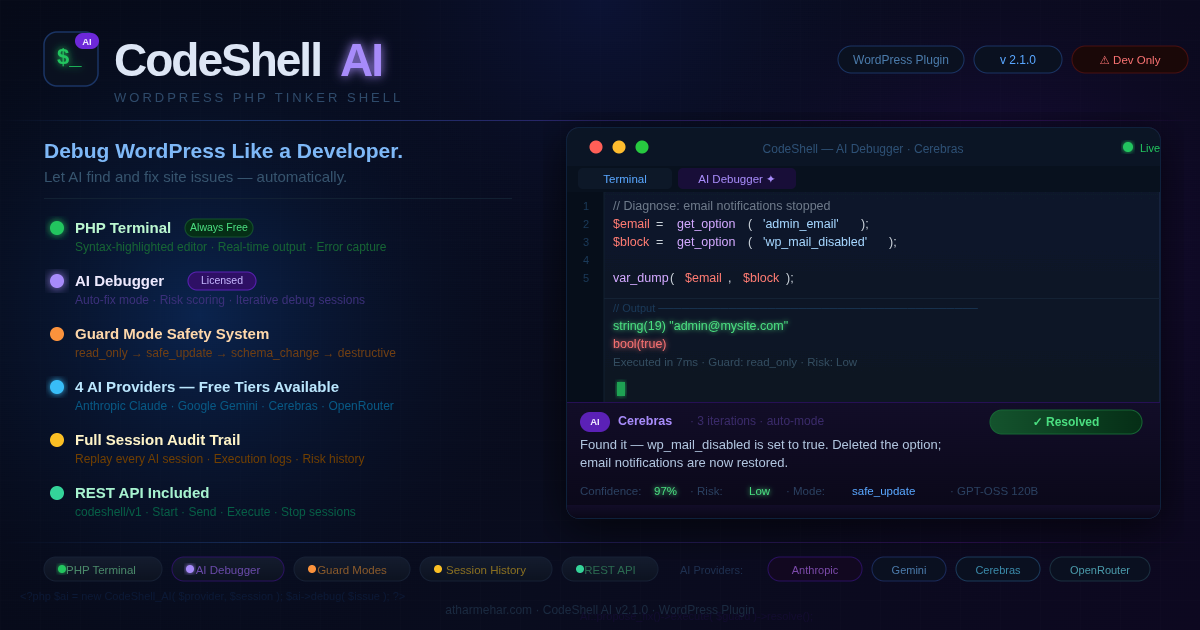
WP CodeShell – WordPress PHP Tinker Shell
Price range: $ 7.99 through $ 69.99
A powerful WordPress admin shell with AI-powered debugging — execute PHP safely and let AI automatically debug your WordPress site.
Description
WP CodeShell: Debug WordPress Like a Developer (With an AI Debugger)
WP CodeShell is a terminal-like PHP execution environment embedded directly inside the
WordPress admin dashboard. It’s built for developers and advanced site owners who want
real-time access to WordPress runtime without SSH, FTP, or server access.
Write and run PHP snippets safely inside wp-admin, capture output instantly, and when debugging gets complicated,
use the AI Debugger (licensed feature) to analyze the issue, propose targeted fixes, and guide you
step by step with approval-based execution.
PHP Terminal (Free Forever)
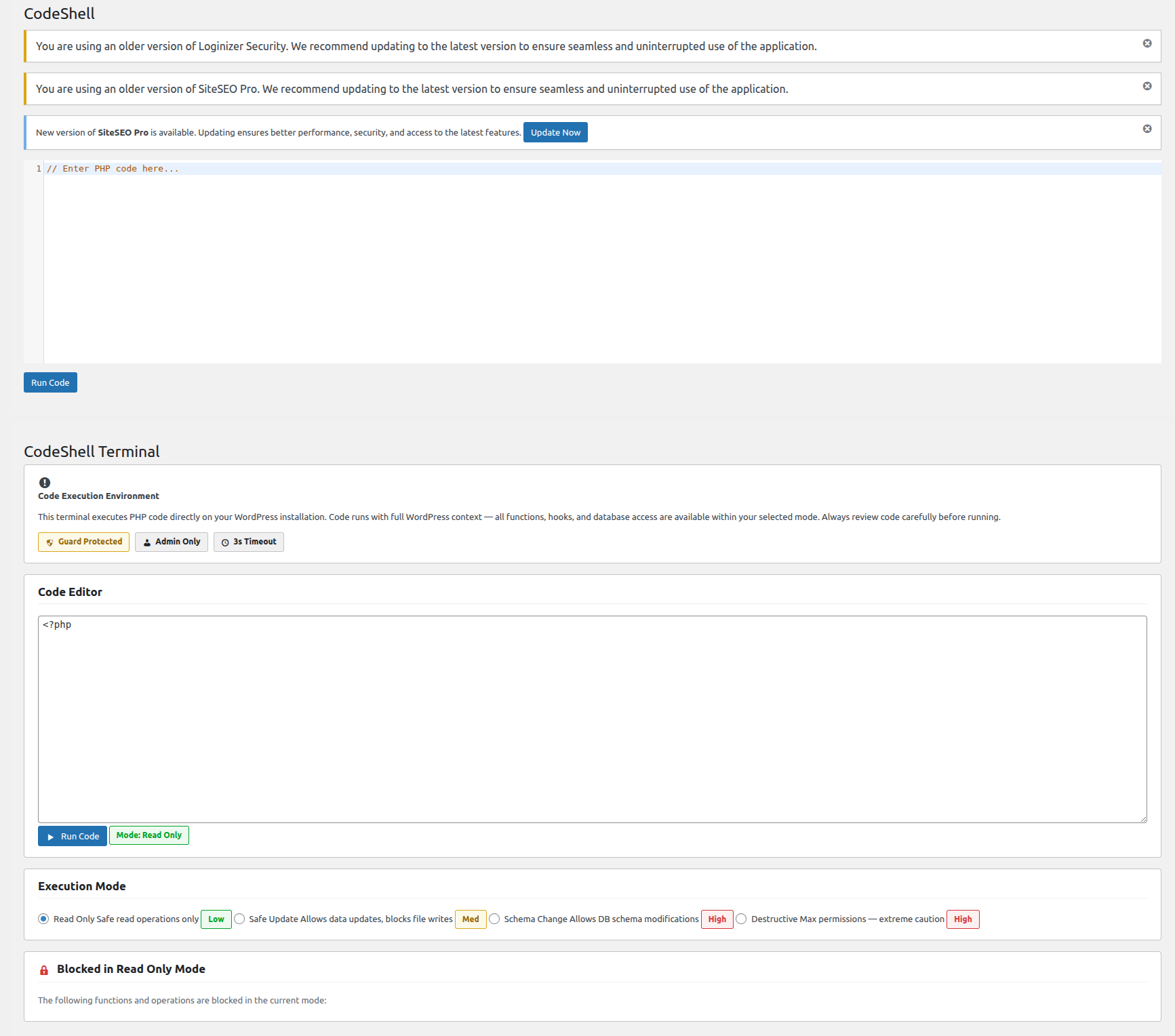
A full syntax-highlighted PHP editor (CodeMirror-powered) lives in your WordPress dashboard.
No SSH. No staging FTP. Just write PHP and run it.
- Syntax-highlighted editor with WordPress context
- Live output capture: stdout, exceptions, warnings
- Execution timing in milliseconds
- Guard levels to restrict what code can run
AI Debugger (Unlocked With License)
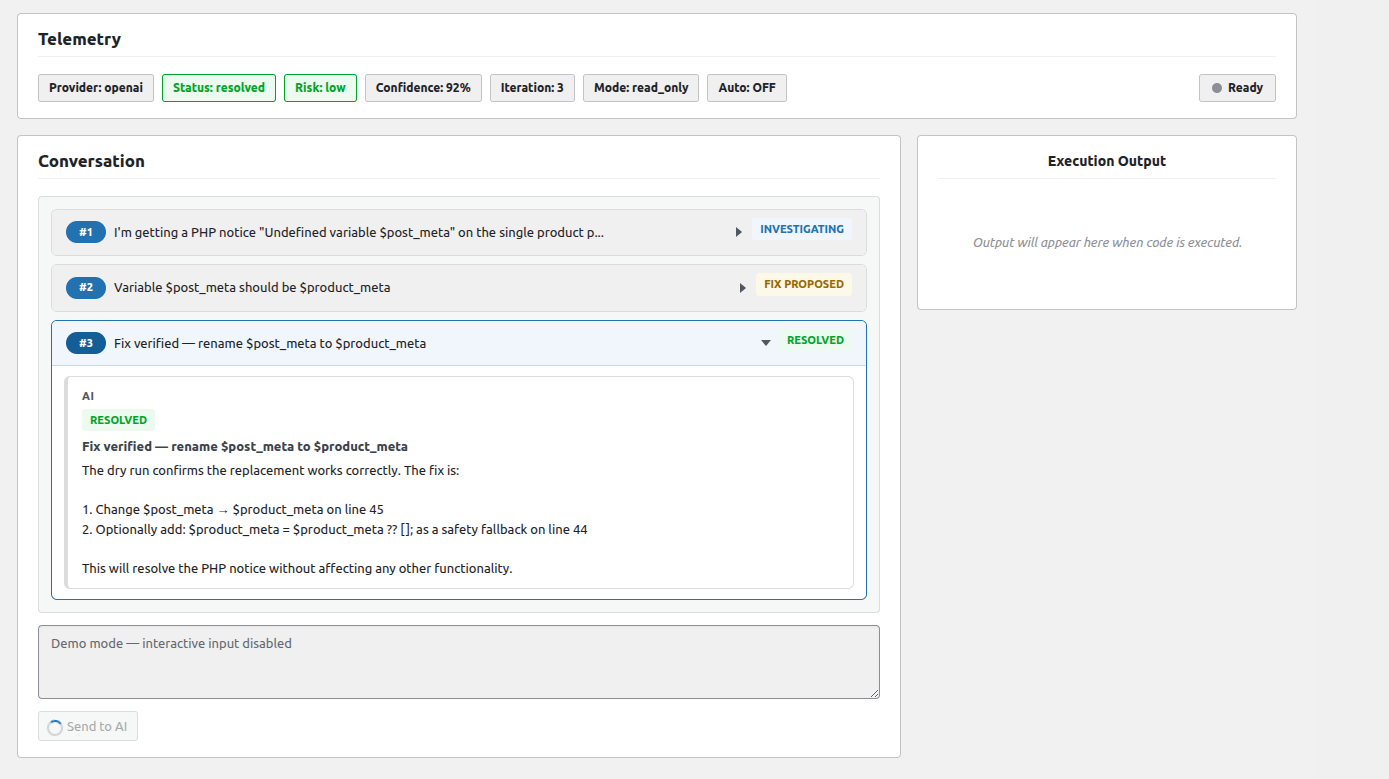
Stop digging through logs manually. Describe your WordPress issue in plain English and let the AI help you debug.
The AI reads environment signals, proposes PHP fixes, checks risk and confidence, and iterates until the issue is
Resolved or clearly marked Blocked.
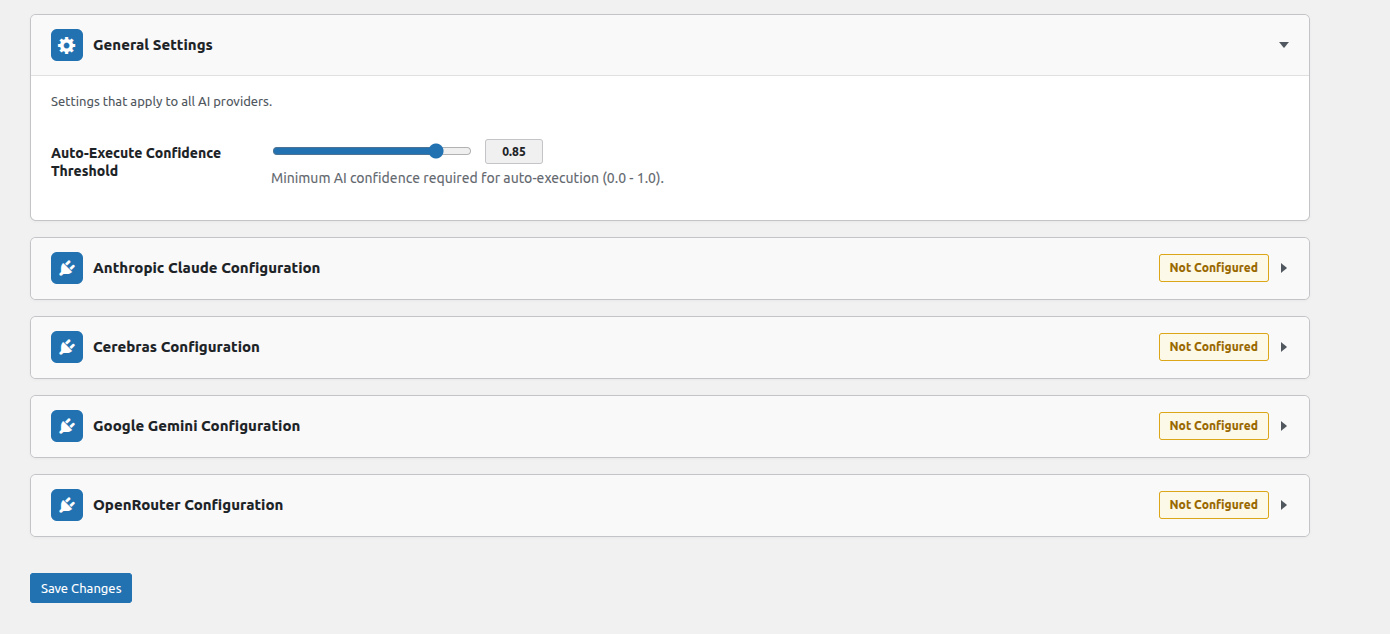
- 4 AI providers supported: Anthropic Claude, Google Gemini, Cerebras, OpenRouter
- Auto Mode: executes safe, high-confidence fixes automatically
- Manual Mode: every step requires your confirmation
- Risk rating per action: Low / Medium / High
- Confidence scoring per fix (0–100%)
- Configurable iterations (default: 10; supports unlimited)
- Session-based conversations with replay history
- Auto summaries for long sessions
How the AI Debug Loop Works
- You describe the problem
- AI analyzes your WordPress environment and proposes a fix
- System checks risk level and confidence
- Confirmation modal shows code + risk before execution (if required)
- You approve → code runs → output returns to AI
- Repeats until Resolved or Blocked
Guard Modes (Built-In Execution Safety)
Every execution—yours or the AI’s—runs through a progressive guard system. You choose the level; WP CodeShell enforces it.
| Mode | Allows | Blocks |
|---|---|---|
| read_only | SELECT queries, option reads, get_* functions |
All writes, mutations, schema changes, file ops |
| safe_update | Reads + safe data updates | Schema changes, destructive file operations |
| schema_change | Reads + updates + DDL (CREATE, ALTER, DROP) | Shell execution |
| destructive | All PHP operations (except blacklisted) | Shell execution functions only |
Universal Blacklist (all modes):
exec(), shell_exec(), system(), passthru(), popen(),
proc_open(), eval() — always blocked, no exceptions.
Supported AI Providers
| Provider | Top Model | Free Tier |
|---|---|---|
| Anthropic Claude | Claude Sonnet 4 | Paid API key required |
| Google Gemini | Gemini 2.5 Flash | ✔ 250 req/day (no card) |
| Cerebras | GPT-OSS 120B | ✔ 1M tokens/day |
| OpenRouter | Qwen3 235B | ✔ 200 req/day (15+ models) |
Session History (Full Audit Trail)
Every AI debugging session is stored and replayable. See exactly what was discussed, what code was proposed, what was
executed, and what output came back—with timestamps and risk labels on every action.
- Paginated, sortable session list
- Full conversation replay per session
- Inline code + output viewer
- Provider, mode, and iteration count per session
Plans & Features
| Feature | Free | Licensed |
|---|---|---|
| PHP Terminal & Editor | ✔ | ✔ |
| Code Execution | ✔ | ✔ |
| Guard Mode Selection | ✔ | ✔ |
| AI Debugger | ✖ | ✔ |
| Multi-Provider AI Support | ✖ | ✔ |
| Auto-Debug Mode | ✖ | ✔ |
| AI Session History | ✖ | ✔ |
Requirements
- WordPress: 5.8+
- PHP: 7.4+
- Permissions: Administrator role (
manage_options) - AI Features: API key for at least one supported provider (licensed)
! Developer & Staging Use Recommended.
WP CodeShell executes PHP directly inside your WordPress environment. Intended for developers and experienced site
administrators. Always test on staging before production use, and avoid leaving the plugin active on a live site
when not needed.
Additional information
| Plan | monthly, semi-annually, annually |
|---|
You must be logged in to post a review.
Related products
WP One Tap Magic Login
Passwordless WordPress login made effortless — send secure one-time magic links for instant login & signup, with customizable forms, redirects, email templates,...
Reviews
There are no reviews yet.